
The Hero's Ballad (2026) Guide: Plot, Ricardt, Themes, and Whether It's Worth Reading
The Hero’s Ballad drops you into a fantasy war story where heroism is not a medal, its a weapon. For readers tired …

May 02, 2026
1.16 is a milestone release. From a completely refreshed navigation experience to a rethought Plus plan, there’s something in here for every MangaTime user. Here’s everything that’s new.
The way you move around MangaTime has been completely rebuilt using the native tab systems of each platform.
On iOS, the app now uses Liquid Glass tabs — the same fluid, translucent navigation style introduced in the latest version of iOS. On Android, navigation now follows Material Design 3, giving the app a look and feel that’s perfectly at home on your device.
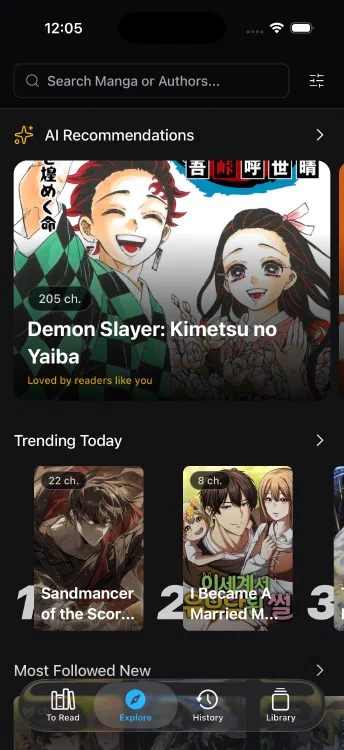

The result is an app that feels faster, more polished, and more native on both platforms — because it is.
The browser extension just got a major upgrade. On top of tracking chapters as you read, it can now suggest adding a manga to your MangaTime library when you visit a series page for the first time.
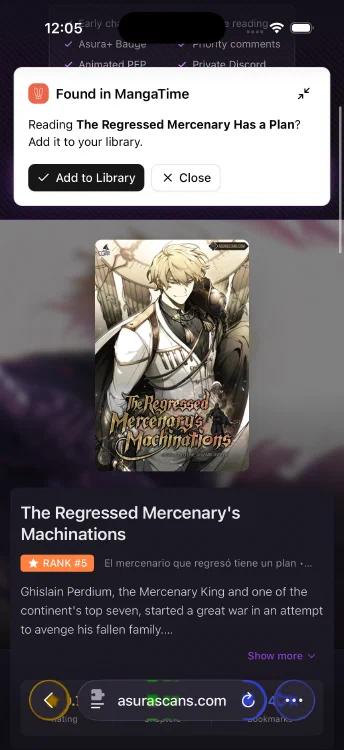
No more switching back to the app to add a new series. The extension handles it right there in your browser.
Getting your existing reading history into MangaTime has never been easier. You can now do a rapid import by simply typing the manga title and the last chapter you read — that’s it.
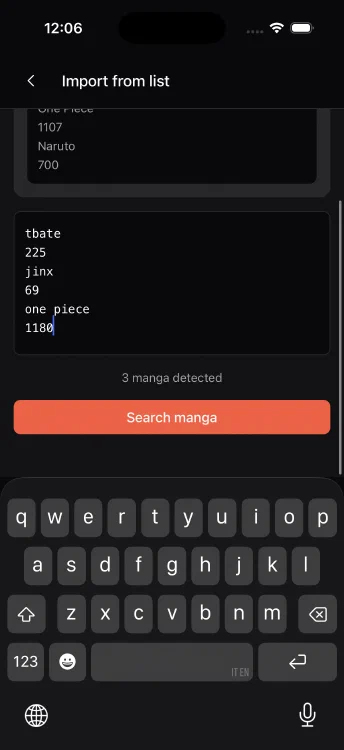
No need to find the exact series page, no extra steps. Great for anyone who’s been tracking reads in a spreadsheet, a notes app, or just their memory.
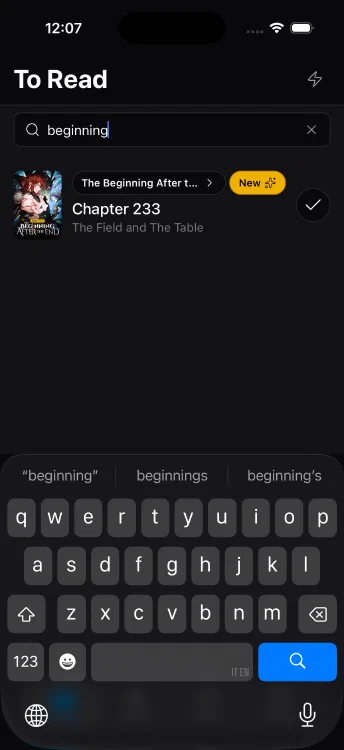
MangaTime Plus users can now search within Next Chapters. Finding exactly where you left off — or planning what to read next — is now instant, even across a large reading list.
Head to Preferences and you’ll find a new option: custom colours for each reading status. Pick the colours that work for you for Currently Reading, Completed, Planned, and Dropped.
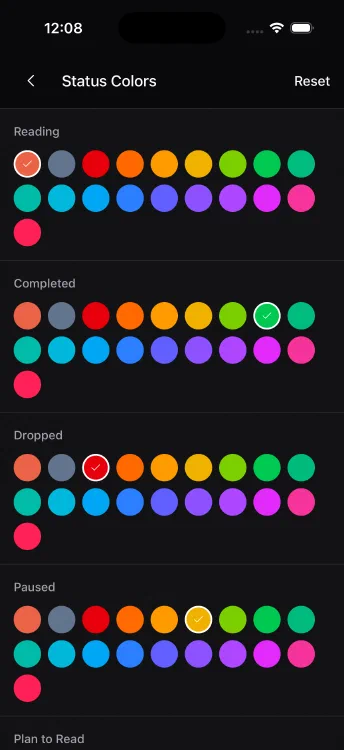
It’s a small change that makes your library feel a lot more like yours.
We’ve rethought what belongs behind a subscription and what should be available to all users. Here’s what changed:
Now free for everyone:
Now part of MangaTime Plus:
We believe Custom Lists are a core part of the MangaTime experience and shouldn’t be gated. AI Recommendations and Binge Reading Mode, on the other hand, are power features that help sustain the development of the app.
A bug was causing the app to crash on certain Android devices. This has been fixed in 1.16. If you were affected, update and you should be good to go.
Update MangaTime to version 1.16 and enjoy a faster, smarter, and more immersive reading experience.


We’re always working on new features and improvements. Stay tuned for more updates, and as always — thank you for reading and tracking with MangaTime. 🙏
If you enjoy the app, leaving a review on the store really helps us grow. ⭐
✨ Got feedback or ideas?
Email us at support@mangatime.customerly.io.
Never miss a MangaTime update
Add MangaTime as a preferred source on Google to see more of our manga guides and news in your search results.
The Hero’s Ballad drops you into a fantasy war story where heroism is not a medal, its a weapon. For readers tired …

Introduction Looking for the best manga and manhwa that have been adapted into anime in September 2026? This guide …
MangaTime is the best manga tracker app that helps you organize your manga collection, track reading progress, and get notified about new chapter releases. Available on iOS & Android!
Download Now